The License Manager Dashboard
Activate your school’s licenses, invite teachers, and manage your group in a few quick steps.
Step 1: Activate licenses
After payment (or after we approve your PO), each school's licenses are ready to activate. From the order summary at license.wewillwrite.com/volume-purchase, the purchasing contact invites an admin to manage each group.
The license manager receives the activation email and clicks the link to accept their role. If someone else should manage the licenses, forward the email to them.
If you’ll also use the platform as a teacher, you’ll need to add your email in the next step.

Step 2: Invite teachers
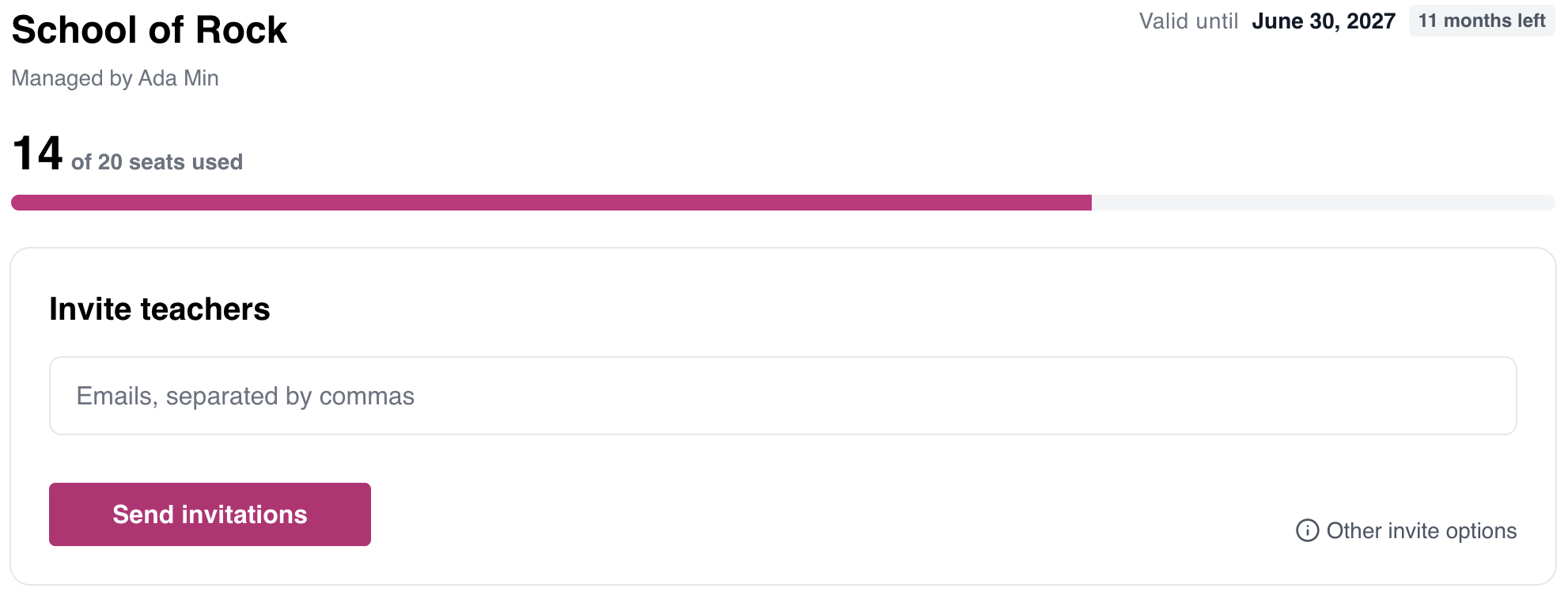
From your dashboard, paste your teachers’ emails and click Send invitations.
Each teacher receives a personal invitation email with a link to join your group. Links expire after 7 days — to resend, open the Invited tab.
Step 3: Teachers join
When teachers click the invitation link, they’re prompted to sign in or create a WeWillWrite account, then join your group. They’re taken to the teacher portal, where they can start using the platform.

Managing licenses
At the top of your dashboard, you’ll see how many seats are in use, when your licenses expire, and the date of your next renewal if one is upcoming.
You’ll see your current members and any teachers who have been invited but haven’t joined yet. Here, you can:
Assign or revoke a teacher’s seat. Revoking frees up the seat so you can assign it to another teacher; the original teacher stays in your group.
Remove a teacher from your group.
Resend or cancel a pending invitation.
License management: license.wewillwrite.com
Teacher portal: portal.wewillwrite.com
Frequently Asked Questions
A teacher can't join the group. What should I do?
This typically happens when the teacher already has an active subscription through:
A personal license purchase
Existing membership in a group
Solution:
Use the troubleshooting tool on this page. If issues persist, contact us for assistance.
Troubleshoot: Joining a License Group
⚠️ Action Required
Cancel your current subscription, then contact support.
Since you have an active subscription, you'll need to cancel it first. After canceling, email us at support@wewillwrite.com so we can enable you to join your group license.
⚠️ Check Your Invitation Link
Make sure you're using the correct link format.
Your invitation link should begin with license.wewillwrite.com/join/
If your link includes /activate/ instead, that's the manager activation link. Ask your license manager to copy the correct invite link from license.wewillwrite.com
✓ Success! You're Already In
Good news: You're already in the group and don't need to do anything else.
From now on, just use portal.wewillwrite.com to access the platform. Bookmark that link for easy access!
⚠️ You're in a Different Group
You may have joined another group (e.g., you switched schools, or your district purchased for multiple schools and shared the wrong link).
Next steps:
- Reach out to the email displayed in your billing settings so they can remove you from their group
- If you can't quickly contact them, email us at support@wewillwrite.com and we'll help sort it out